
For data teams
Your tickets are in Jira. Your dashboards are in Metabase. Your code runs in Databricks. Your PRs are in GitHub. By Friday, half the decisions you made on Monday have been lost between systems.
buildfrm reads the context from all of them — the Jira ticket, the Metabase query, the kickoff recording, the GitHub history — and drafts the code in Databricks. When you ship it, buildfrm updates the Jira ticket with the proof.
Every Jira ticket, GitHub PR, and design decision stays attached to the pipeline itself. The next engineer picks up the work with the trail intact — no knowledge-transfer meeting required.
No new destination for engineers. Work from Databricks, Jupyter, Metabase, or your existing data workflow.
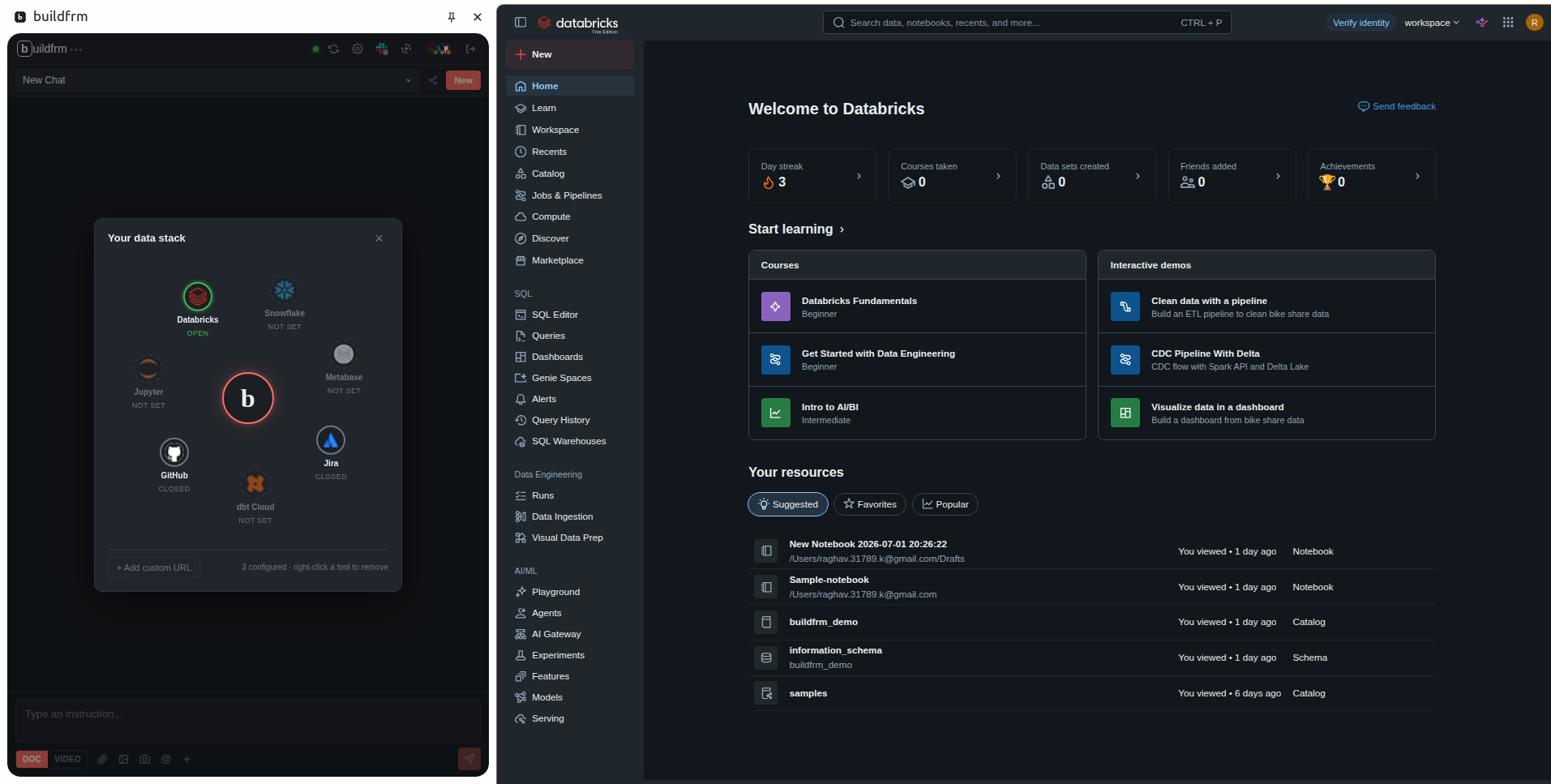
The stack panel
Click a tool in the panel and buildfrm launches it as a browser tab — it reads the open ticket, the open notebook, the open dashboard. The same tab is how the update flows back when you ship.
Uses your existing browser sessions — no MCP servers to stand up, no OAuth tokens stored on buildfrm.
Today: Databricks · Jira · GitHub · Metabase · Snowflake · dbt Cloud · custom URLs. Coming: Confluence · Notion · Linear · Asana · Sheets · Excel · Jupyter · BigQuery.
Today
The ticket says one thing, the spreadsheet says another, and the final decision is buried in a thread.
The code changed, the dashboard changed, but nobody knows which PR, ticket, or business rule caused it.
When a pipeline or dashboard breaks, engineers must open five tools before they know what changed.
The next engineer inherits code, but not the decisions, tradeoffs, owners, and context behind it.
With buildfrm
A real workflow, not a generic chatbot.
Before
An engineer opens Jira, finds an Excel mapping, checks GitHub history, opens a Metabase query, reads old docs, switches into Databricks, writes code, opens a PR, updates Jira — and still leaves the context scattered.
With buildfrm
buildfrm surfaces the ticket, mapping file, schema, BI query, docs, and PR history → suggests a Databricks change → prepares the PR and Jira update for your review → preserves the decision trail once you ship. Nothing goes out without your approval.
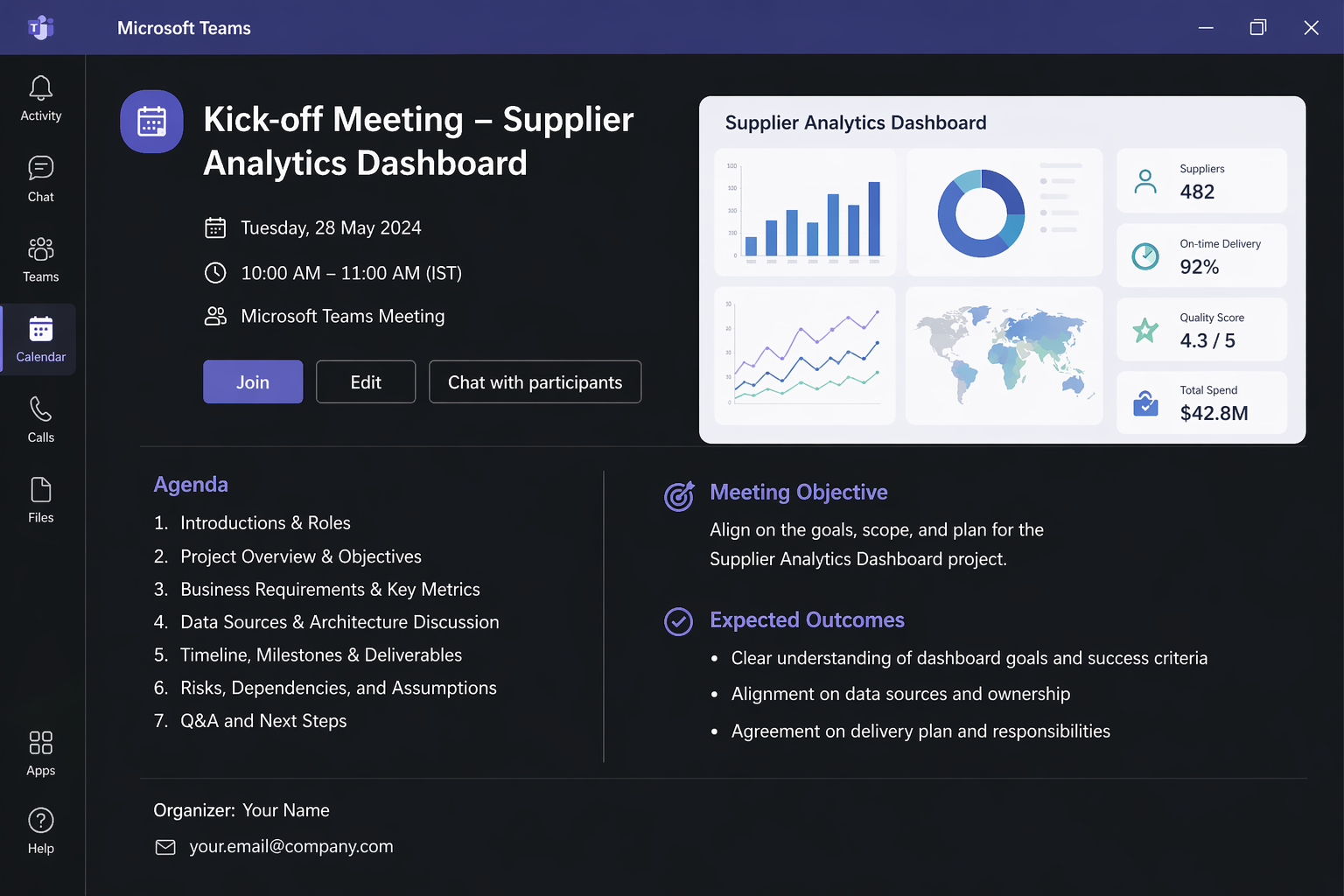
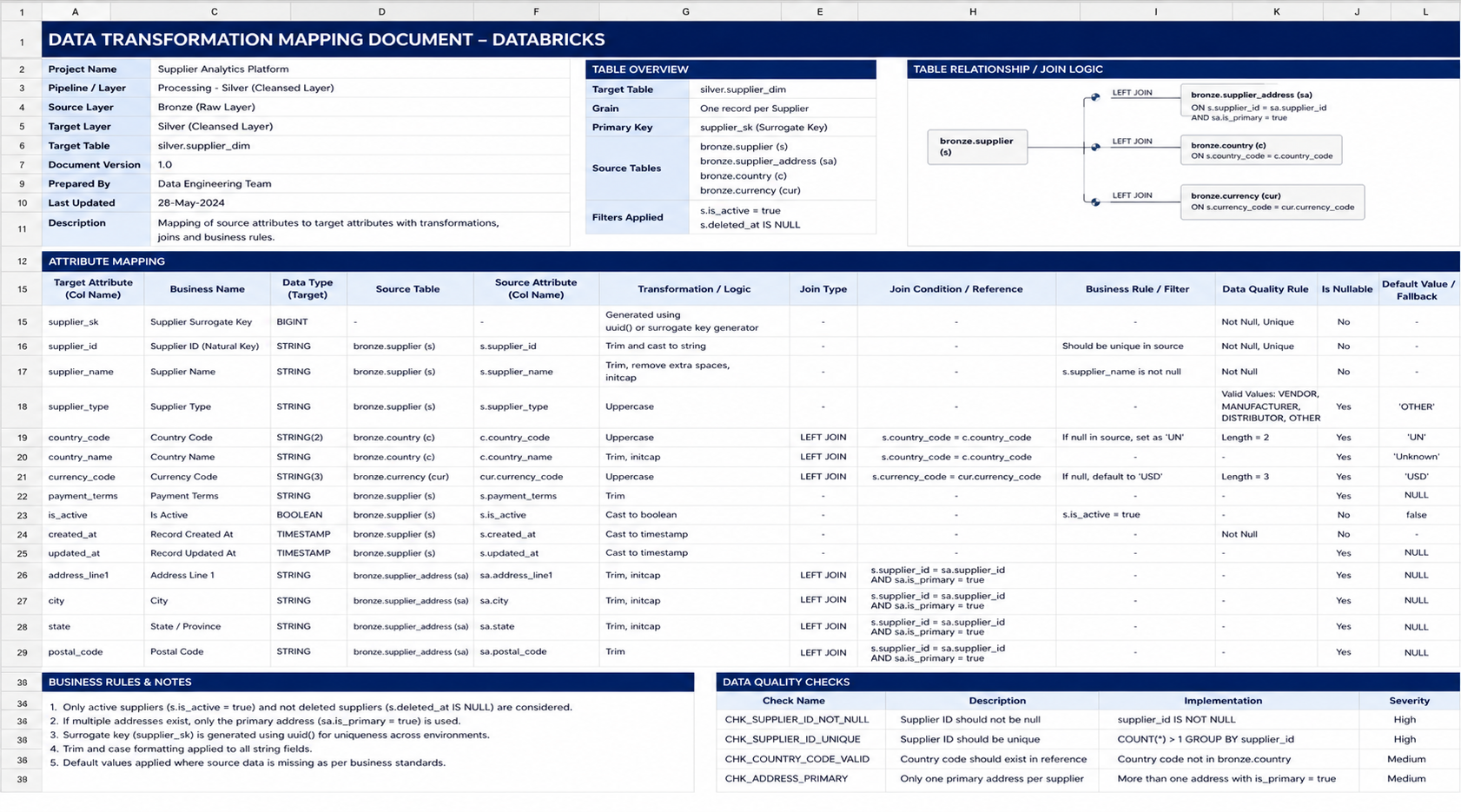
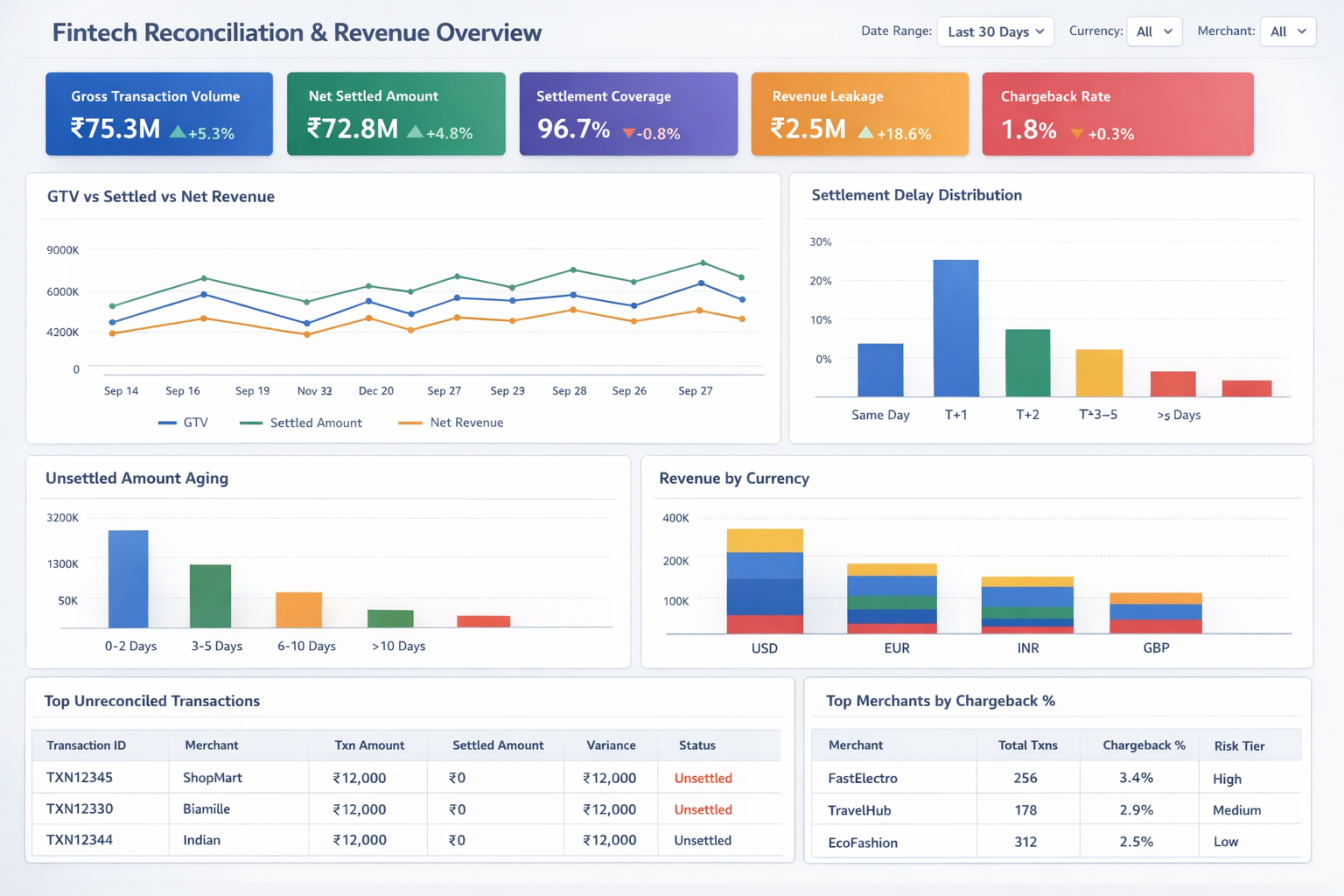
The shapes of input we see most. Drop the real thing and get running code — not a suggestion, not a snippet to paste somewhere else.
import dlt
  from pyspark.sql.functions import col

  @dlt.table(
    name="orders_silver",
    partition_cols=["region"],
    comment="Deduped orders joined to customer dim, daily grain",
  )
  def orders_silver():
      orders = (
          dlt.read("orders_bronze")
             .dropDuplicates(["order_id"])
      )
      customers = spark.read.table("main.sales.dim_customer")
      return orders.join(customers, "customer_id", "left")
{{ config(materialized='incremental', unique_key='customer_id') }}

  with orders as (
    select * from {{ ref('stg_orders') }}
    {% if is_incremental() %}
      where order_ts > (select max(last_order_ts) from {{ this }})
    {% endif %}
  ),
  customers as (
    select * from {{ ref('dim_customer') }}
  )
  select
    c.customer_id,
    sum(o.gross_amount)       as lifetime_value,
    count(distinct o.order_id) as order_count,
    max(o.order_ts)           as last_order_ts
  from customers c
  left join orders o using (customer_id)
  group by 1
from snowflake.snowpark.functions import col, sum_, avg, count_distinct

  def supplier_kpis(session, region: str | None = None):
      df = session.table("sales.fact_shipment")
      if region:
          df = df.filter(col("region") == region)
      return df.agg(
          sum_("line_total").alias("gross_revenue"),
          avg("discount").alias("avg_discount"),
          count_distinct("supplier_id").alias("suppliers"),
      )

  def on_time_trend(session):
      return (
          session.table("sales.fact_shipment")
                 .select("ship_date", "is_on_time")
                 .group_by("ship_date")
                 .agg(avg(col("is_on_time").cast("int")).alias("rate"))
      )
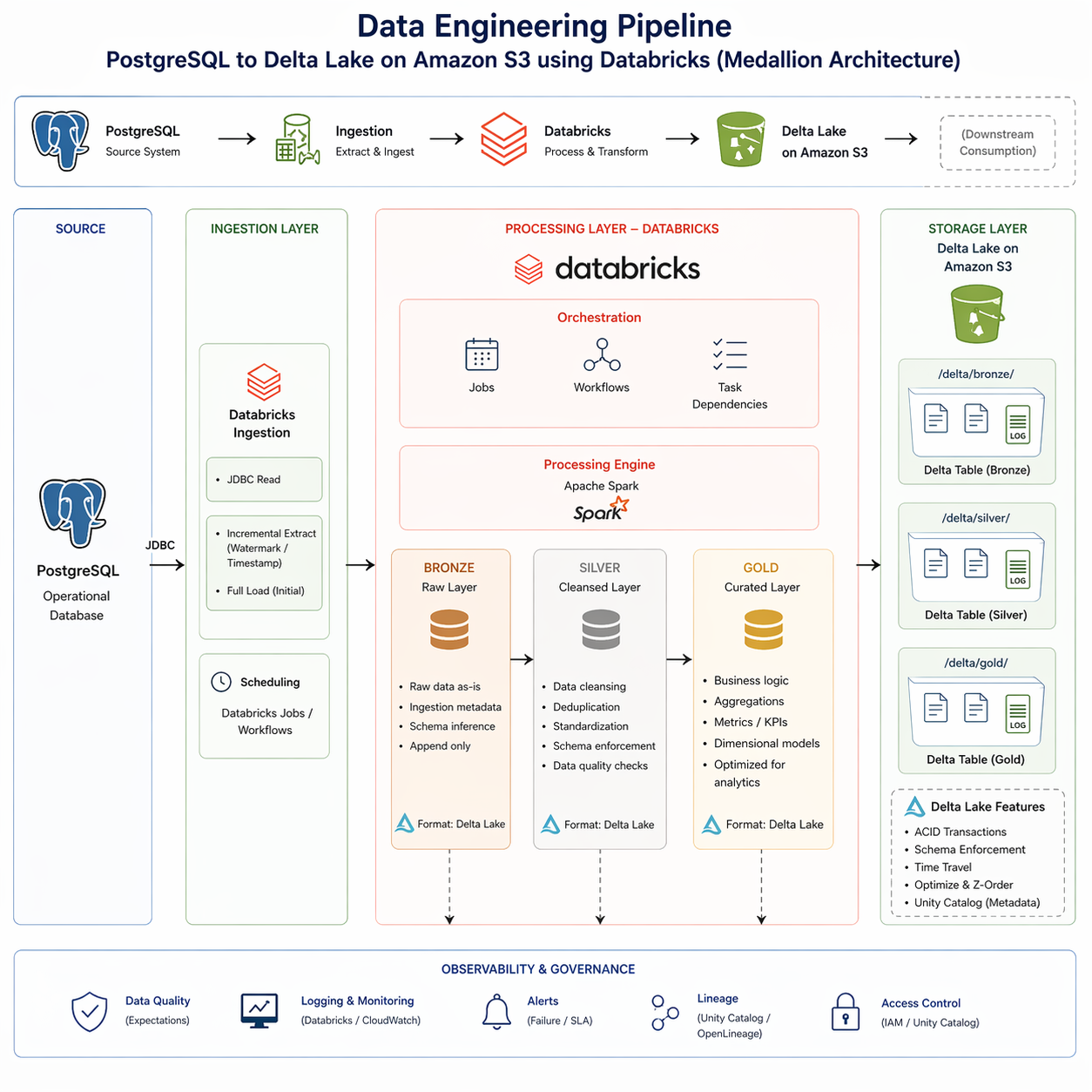
sales_medallion/
  ├── ingestion/
  │   ├── postgres_to_bronze.py     # JDBC + incremental
  │   └── jdbc_config.yml
  ├── bronze/
  │   ├── orders.py                 @dlt.table
  │   ├── customers.py              @dlt.table
  │   └── products.py               @dlt.table
  ├── silver/
  │   ├── orders_cleansed.py        @dlt.table  # dedupe, expectations
  │   └── customers_scd2.py         @dlt.table  # SCD type 2
  ├── gold/
  │   ├── revenue_daily.py          @dlt.table  # currency norm + agg
  │   └── orders_by_region.py       @dlt.table
  ├── jobs/
  │   └── medallion_pipeline.yml    # Databricks Workflow
  └── observability/
      ├── lineage.json              # Unity Catalog
      └── alerts.yml
Book a demo
A 30-minute walk-through of the full loop — Jira ticket → Databricks code → GitHub PR → Jira update with proof — on the tools we most often see. Different stack? Tell us in the form and we'll show you the closest match.
The bet
At our last data jobs, every pipeline lived across at least five tools. The kickoff in Teams, the spec in Confluence, the ticket in Jira, the sample data in S3, the code in Databricks. By Friday, half the decisions we made on Monday had been lost between systems — and the next engineer inheriting the pipeline spent two days digging for context before touching a line of code.
buildfrm is our attempt at the connective layer. It lives where your team already works and reaches into the tools your team already uses (Jira, GitHub, Metabase, Confluence) to grab the context that should already be in front of you. When you ship, it updates them back. The pipeline carries its own history; the next engineer inherits the work, not a knowledge-transfer meeting.
The ones we hear most.
No. Data catalogs help organize and discover metadata. buildfrm uses context from metadata, tickets, code, BI, docs, and spreadsheets to help teams actually build, debug, ship, and preserve the work trail.
It includes code and SQL generation, but it is built around data workflows. The assistant understands tickets, dashboards, warehouse metadata, PR history, docs, mappings, and asset memory — not just the file in front of you.
They see the related tickets, PRs, owners, decisions, dashboards, docs, and prior debugging context attached to the pipeline itself — instead of starting from zero with a knowledge-transfer meeting. Hand off a pipeline by sending its name.
It uses your existing browser sessions. Click a tool in the stack panel — buildfrm launches it as a browser tab using the auth you already have. No OAuth tokens stored on buildfrm, no API keys to manage, no integration credentials to rotate.
Yes. The full stack — backend, Postgres, vector store, object store — deploys via Docker Compose inside your VPC. Bring your own LLM keys (Anthropic, OpenAI) or run local via Ollama. Available for teams; contact sales.